
Drawing Art illustrator For Windows & macOS USB
Professional Drawing illustrator Software For Windows & MacOSX USB Create stunning vector artwork without the cost and learning curve associated with other programs! This is ideal for creating all forms of graphic design, from…
Product details
- Object creation
- tool (freehand drawing using filled paths representing calligraphic strokes)
- Text tool (multi-line text, full on-canvas editing)
- Embedded bitmaps (with a command to create and embed bitmaps of selected objects)
- Clones ("live" linked copies of objects), including a tool to create patterns and arrangements of clones
- Object manipulation
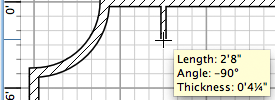
- Transformations (moving, scaling, rotating, skewing), both interactively and by specifying exact numeric values
- Z-order operations (raising and lowering)
- Grouping objects ("select in group" without ungrouping, or "enter the group" making it a temporary layer)
- Layers (lock and/or hide individual layers, rearrange them, etc; layers can form a hierarchical tree)
- Alignment and distribution commands
- Fill and stroke
- Colour selector (RGB, HSL, CMYK, colour wheel, CMS)
- Color picker tool
- Copy/paste style
- A gradient editor capable of multi-stop gradients
- Pattern fills (bitmap/vectors)
- Dashed strokes, with many predefined dash patterns
- Path markers (ending, middle and/or beginning marks, e. g. arrowheads)
- Operations on paths
- Node editing: moving nodes and Bezier handles, node alignment and distribution, etc.
- Converting to path (for text objects or shapes), including converting stroke to path
- Boolean operations
- Path simplification, with variable threshold
- Path insetting and outsetting, including dynamic and linked offset objects
- Bitmap tracing (both color and monochrome paths)
- Text support
- Multi-line text
- Uses any installed outline fonts, including right-to-left scripts
- Kerning, letter spacing, linespacing adjustments
- Text on path (both text and path remain editable)
- Text in shape (fill shape following stroke)
- Rendering
- Fully anti-aliased display
- Alpha transparency support for display and PNG export
More information
Create stunning vector artwork without the cost and learning curve associated with other programs! This is ideal for creating all forms of graphic design, from business logo's to flyers, posters or wedding invitations and illustrations. So if your interested in learning a new hobby, or even joining the ever growing army of self employed freelance graphic designers then this vector art studio is the ideal tool for you, or a great gift for any family member or friend who has creative aspirations!
Packed with powerful features, yet still easy enough to grasp for a novice to be making stunning art designs in no time thanks to it's clean and easy to understand interface. The software also supports the industry standard file formats meaning even more flex-ability for creating industry standard compliant graphics as well as exchanging design idea's with other leading brands of graphic design software.
If you are new to the process of creating vector graphics you will be pleased by the flexibility, and power it offers. Vector design is often the preferred method of image creation for logos, illustrations which require high scalability. The application is used across a wide variety of industries (marketing/branding, engineering/CAD, web graphics, cartooning) and individual uses.
With Full support for mice or tablet input, import multiple industry standard bitmaps types such as JPEG, BMP, SVG PNG and more, the vector art studio is capable of producing great artwork. With its clean and simple interface even newbies will be able to create vector art masterpieces in no time. With its many built in filters and extensions, the vector ART is capable of producing quality output with fewer clicks.
Drawing: pencil tool (freehand drawing with simple paths), pen tool (creating Bézier curves and straight lines), calligraphy
Shape tools: rectangles (may have rounded corners), ellipses (includes circles, arcs, segments), stars/polygons (can be rounded and/or randomised), spirals
Check the supported operating system, computer specification and media format stated in this listing before ordering. Features can vary between included applications.
Complete "as you drag" rendering of objects during interactive transformations Misc Live watching and editing the document tree in the XML editor PNG, OpenDocument Drawing, DXF, sk1, PDF, EPS and PostScript export formats and more Command line options for export and conversions Perfectly compliant SVG format file generation and editing Important Information Please Read System requirements Confirm your Windows, macOS or Linux version Ensure your computer can read the supplied media Review the listing contents before purchase
System check
- Confirm your operating system is compatible with the software.
- Check that your computer can use the supplied media or download format.
- Review the listing contents and requirements before purchase.